
Battery & Charging Questions for Smart Devices
Date: 2025-10-14 Categories: FAQ Hits: 1042
Smart Pet Device Battery FAQ: Charging & Troubleshooting Guide
Contents
1. Introduction to Smart Pet Device Batteries
Smart pet devices like automatic feeders, water fountains, and self-cleaning litter boxes simplify pet care for busy owners. However, smart pet device battery issues (such as weak power, failed charging, or rapid drain) can disrupt critical pet care routines—leaving your furry friends without timely meals or fresh water.
This comprehensive FAQ addresses the most common pet device battery questions, from understanding battery types to step-by-step troubleshooting and safety best practices. Whether you own a Tikpaws Smart Feeder, Smart Fountain, or other Tuya Smart/Smart Life App-connected devices, these expert insights will keep your smart pet products powered reliably.
2. Battery Types in Smart Pet Devices
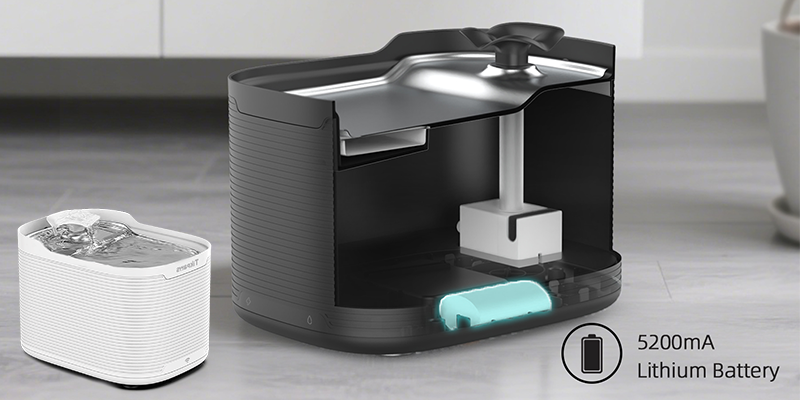
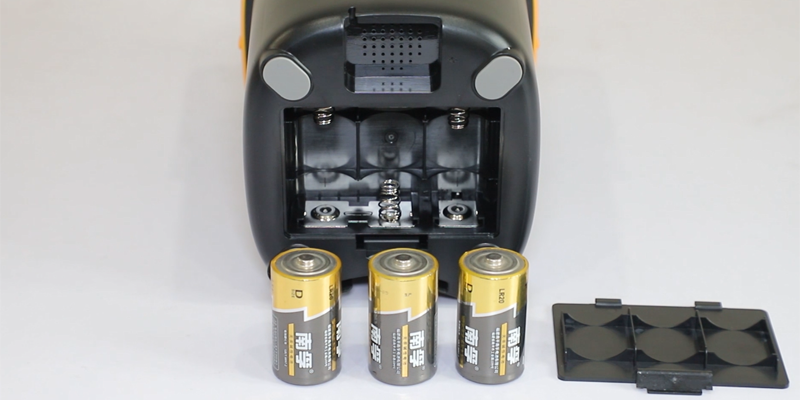
The majority of smart pet devices rely on two primary battery types: rechargeable lithium-ion batteries (for primary power) and AA alkaline backup batteries (for emergency use during power outages). Below is a detailed breakdown of common device configurations:
| Device Type | Common Battery Type | Typical Capacity | Key Notes |
|---|---|---|---|
| Smart Pet Feeder | Rechargeable Lithium-Ion Battery | 2000–4000mAh | Supports standby power during power cuts; ensures scheduled feeding |
| Smart Water Fountain | DC Adapter + Backup Battery | 5V–7.4V | Keeps water circulation running during outages; prevents stagnation |
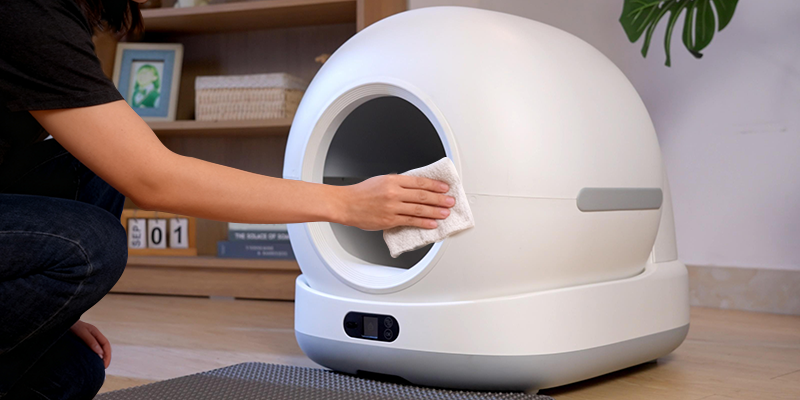
| Smart Litter Box | AC Power + Backup Lithium Battery | ~3000mAh | Powers key sensors and basic functions temporarily during blackouts |
Pro tip: Always use the manufacturer-recommended battery or official replacement pack for your smart pet device. Low-quality or mismatched batteries can shorten device lifespan, cause unstable power supply, and even damage internal components.
3. Charging Cycles & Battery Maintenance
Like smartphones and laptops, smart pet device batteries have a limited number of charge cycles—typically 300 to 500 full cycles—before noticeable capacity degradation. Learning how to properly charge and maintain your smart feeder battery or fountain battery can significantly extend its lifespan.
Follow these expert tips to maximize your smart pet device's battery life:
3.1 Avoid deep discharge: Don't wait until the battery is completely drained. Recharging lithium-ion batteries at around 20–30% capacity prevents irreversible damage and maintains long-term health.
3.2 Use original adapters and cables: Voltage mismatches from third-party chargers can cause overcharging, reduced capacity, or even device damage. Always use the official charger that came with your smart pet product.
3.3 Keep devices in moderate temperatures: Extreme heat (above 35°C/95°F) or cold (below 0°C/32°F) weakens battery chemistry. Avoid placing smart pet devices in direct sunlight, near radiators, or in freezing garages.
3.4 Regularly clean charging contacts: Dust, fur, and debris can accumulate around USB ports or charging pins, leading to poor connection and slow charging. Clean gently with a dry cotton swab monthly.
3.5 Calibrate occasionally: Every 2–3 months, allow the battery to fully charge (100%) and then discharge to 10–15% capacity. This helps the device's battery gauge stay accurate, preventing false low-battery alerts.
For smart feeders with a dual power system (plug + battery), keep the unit connected to AC power most of the time. Let the battery act as a standby backup rather than a main power source—this reduces the number of charge cycles and extends battery life.
4. Troubleshooting Common Battery Issues
Even high-quality smart pet devices can experience battery-related problems. Below are the most common issues pet owners face—along with step-by-step solutions to fix them:
a. The smart pet device won't charge
Ensure the charging cable and adapter are securely connected to both the device and power outlet.
Try a different power outlet or replace the charging cable (faulty cables are a common cause).
Check for dust, fur, or oxidation on the charging port—clean gently with a dry cotton swab (never use water).
Verify the charging indicator light turns on (most devices have a red/green light to confirm charging).
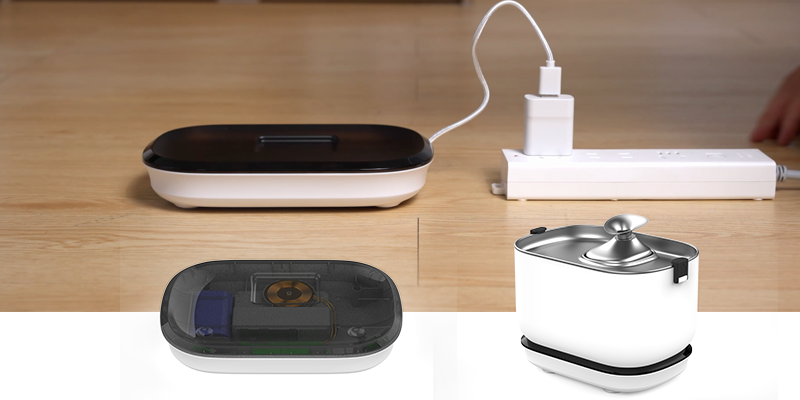
If using a wireless charger, ensure the device is properly aligned with the charging pad.
b. The device turns off suddenly
The battery may be fully depleted—charge the device for at least 4–6 hours with the original adapter.
Outdated firmware can cause power management issues—check for updates in the Tuya Smart or Smart Life App.
Verify the power switch isn't toggled off accidentally during refilling, cleaning, or moving the device.
If the battery is swollen or leaking, stop using it immediately and replace it with an official battery pack.
c. Battery drains too fast
Disable unnecessary features like night lights, continuous Wi-Fi connectivity (when not in use), or motion sensors.
Update the device's firmware—manufacturers often release battery optimization updates.
Check if the device is stuck in a loop (e.g., repeated feeding attempts)—reset the device to factory settings (backup data first).
Replace the battery if it's over 2 years old (lithium-ion batteries degrade over time).
d. Device won't work even after charging
Reset the device following the user manual (most smart pet devices have a reset button or app-based reset option).
Test with a known working adapter to rule out charger failure.
The battery protection circuit may be triggered—contact customer support for a replacement battery.
Check if the device is still under warranty—many manufacturers cover battery defects for 1–2 years.
For Tikpaws devices, refer to the Official Troubleshooting Guide for video tutorials and additional support.
5. Smart Pet Battery Safety Tips
Smart pet products are designed with safety in mind, but proper battery handling is critical to protect your pets, home, and devices. Follow these essential battery safety tips for worry-free operation:
Never expose batteries to water, high humidity, or direct sunlight.
Do not charge overnight or unattended if using third-party adapters (stick to official chargers).
Avoid puncturing, crushing, or opening the battery compartment—this can cause leaks or fires.
Recycle old batteries properly at designated e-waste facilities—never dispose of them in regular trash.
If the battery emits heat, smoke, or a strange odor, stop using the device immediately, disconnect it from power, and contact customer service for a replacement.
A well-maintained battery not only ensures reliable operation of your smart pet device but also prevents potential safety hazards (such as battery leaks or overheating) that could harm your pets.
6. Conclusion & Related Guides
Battery health is a critical factor in the reliability of smart pet devices. By understanding how to choose the right battery, charge it properly, and troubleshoot common issues, you can ensure your smart feeder, fountain, or litter box works seamlessly—keeping your pets happy and healthy.
For more expert advice on smart pet care, explore these related guides:
Have additional questions about smart pet device batteries? Leave a comment below or contact our customer support team for personalized assistance.
Reference Sources
This article was researched using reputable industry sources to ensure accuracy: